
Homeowners search for contractors two completely different ways. One requires your phone number above the fold and same-day availability signals. The other requires reviews, portfolio work, and proof of quality. Most contractor websites try to serve both with the same page — and serve neither well.
Every contractor category (plumbing, HVAC, roofing, electrical, landscaping) gets searched in two distinct modes. Urgency mode is triggered by a problem: the AC stopped working, the pipe burst, the roof is leaking in the rain. Browse mode is triggered by planning: the homeowner wants new gutters before winter, is getting estimates for a kitchen remodel, or is looking for someone to maintain their lawn.
These are not the same buyer. They’re not in the same mental state. They’re not using the same search terms, and they don’t respond to the same signals. Building an SEO strategy for a contractor business without acknowledging this split is why most contractor websites rank for some queries and produce almost no calls from others.
Table of Contents
| Urgency searchers want someone available right now. Browse searchers want someone trustworthy for a planned job. The same page cannot serve both well. |
The Two Search Modes and Why They Require Different Strategies
Urgency Mode
Urgency searches happen when something has gone wrong. The search query is specific, time-pressured, and often includes words like “emergency,” “near me,” “today,” or the problem itself: “AC not cooling,” “burst pipe,” “no hot water.”
The buyer in urgency mode is not comparing contractors. They are looking for the first credible option that can come now. Their decision variables are availability, proximity, and enough trust to let a stranger into their home quickly. A business that signals same-day availability, has a visible phone number, and has enough reviews to feel credible will win this search almost regardless of price.
What urgency searchers are looking for in a search result:
- Phone number visible immediately, tap-to-call on mobile
- “Same day,” “24/7,” “emergency service,” or “available today” in the listing or headline
- Proximity, they’ll choose someone 3 miles away over someone 15 miles away if both look credible
- Enough reviews to confirm the business is real and competent
- Hours that include right now
Browse Mode
Browse searches happen when the homeowner has time to evaluate options. The search query is comparative: “best roofing company Johnson City,” “HVAC companies near me,” “who does good landscaping in Kingsport.”
The buyer in browse mode is building a shortlist. They’ll visit two or three websites, read reviews, look at photos of completed work, and form an impression of quality and professionalism before making contact. Their decision variables are reputation, portfolio quality, responsiveness to reviews, and perceived fit for their specific project.
What browse searchers are looking for:
- Review count and rating (the primary trust signal at a glance)
- Photos of actual completed work in the local area
- Specific service descriptions that match their project type
- A website that looks like a credible, established local business
- Evidence that past customers had good experiences with the type of job they’re planning
| The Query Tells You the Mode Urgency mode signals: ’emergency,’ ‘near me,’ ‘today,’ ‘fast,’ ‘same day,’ specific problem description Examples: ’emergency plumber near me,’ ‘AC repair today Johnson City,’ ‘roof leak repair’ Browse mode signals: ‘best,’ ‘top,’ ‘reviews,’ company name, comparative language Examples: ‘best roofing company Johnson City,’ ‘HVAC companies Kingsport,’ ‘landscaping services Tri-Cities’ Your GBP and website need to serve both — but with different signals emphasized for each. |
What Each Mode Requires From Your GBP and Website
The same Google Business Profile and website serve both modes. The question is how to configure them to perform well for both rather than defaulting to whichever the owner happened to optimize for when they set it up.
| Element | Urgency Mode Needs | Browse Mode Needs |
| GBP category | Primary category = emergency service type (e.g., Emergency Plumber) | Primary category = general trade (e.g., Plumber, Roofing Contractor) |
| GBP hours | Extended or 24/7 hours clearly listed | Standard hours; holiday hours current |
| GBP attributes | ‘Emergency service available’ attribute enabled | ‘Free estimates,’ ‘licensed,’ ‘insured’ attributes |
| Website headline | ‘Same-day HVAC repair in the Tri-Cities’ | ‘Johnson City’s trusted roofing company since 20XX’ |
| Phone visibility | Above the fold, sticky header, tap-to-call | Above the fold, visible on every page |
| Reviews needed | Enough to signal legitimacy (20+); recency matters | Volume and specific language about quality and professionalism |
| Photos | Team and equipment photos establish credibility fast | Before/after project photos, completed work |
| Content | FAQ about availability, response time, emergency pricing | Service descriptions, project types, service area depth |
For contractors who primarily do emergency/urgent work (plumbers, HVAC, locksmiths), urgency optimization should dominate. For contractors who primarily do planned work (roofers, landscapers, general contractors), browse optimization should dominate. For categories that do both, the configuration is a balancing act, but the split should be deliberate, not accidental.
Why Proximity Works Differently in Each Mode
Google’s local algorithm always factors in proximity, but the weighting differs between urgency and browse searches.
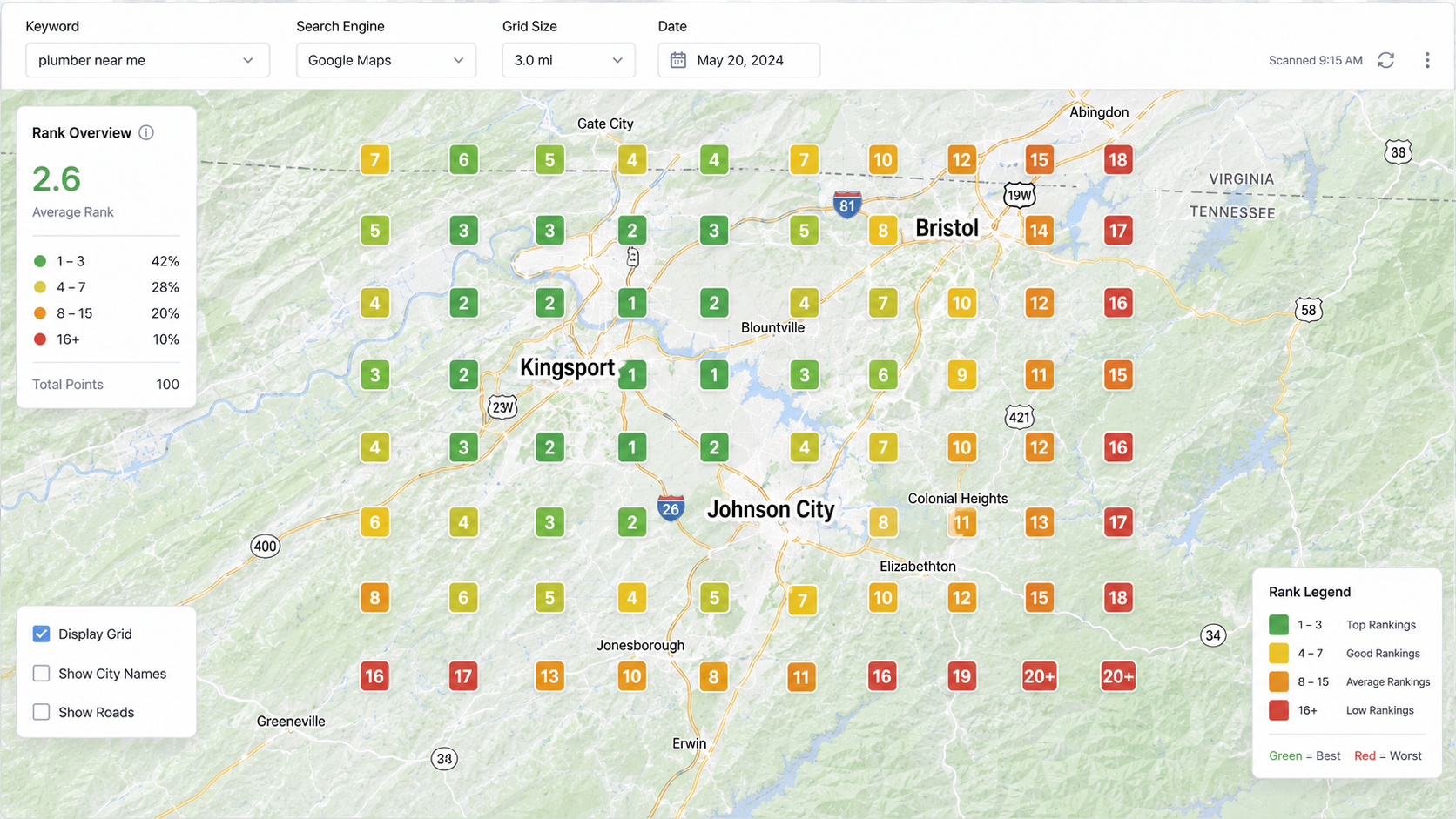
Urgency searches carry an implicit “near me” signal even when the searcher doesn’t type those words. Google infers urgency intent from the query type and weights proximity more heavily, showing businesses that are physically closest to the searcher’s location. A plumbing company physically in Gray, Tennessee will rank higher for an emergency plumbing search from a Gray homeowner than a company based in downtown Johnson City, even if the downtown company has more reviews and a more optimized GBP.
Browse searches have weaker automatic proximity weighting. A homeowner comparing roofing companies isn’t looking for the closest one. They’re looking for the best one within a reasonable range. Review count, content quality, and overall profile completeness carry more weight relative to raw proximity.
The practical implication: if your physical location is in one part of your service area, urgency searches will naturally favor you in queries from nearby neighborhoods and work against you in queries from farther away. For planned work, you can compete across a wider geographic range through content and review depth.
| Emergency searches heavily favor proximity. Planned work searches favor reputation. The same contractor competes differently in each mode based on where the searcher is standing. |
Service Pages: The Structure That Serves Both Modes
Most contractor websites have a single service page per trade. One plumbing page. One HVAC page. One roofing page. That structure fails both search modes because it can’t be optimized for two different sets of signals simultaneously.
A better structure separates emergency and planned work at the page level where the distinction is meaningful:
- Emergency service page: ‘Emergency Plumbing Repair in Johnson City,’ optimized for urgency queries. Leads with availability signals. Phone number prominent. Addresses what happens when you call, how fast someone arrives, and what to expect with pricing. FAQ content answers urgency questions: ‘Do you offer same-day service?’ ‘Are you available on weekends?’
- Planned service page: ‘Plumbing Services in Johnson City,’ optimized for browse queries. Leads with credibility signals. Covers the full scope of residential plumbing work. Includes project examples, pricing context, and what distinguishes your work from competitors’.
- Specialty pages where relevant: ‘Water Heater Replacement Johnson City,’ ‘Drain Cleaning Kingsport,’ ‘Sewer Line Repair Tri-Cities.’ These target specific high-volume queries with dedicated pages rather than forcing Google to infer which service matches a specific query from a generic service page.
This isn’t about creating duplicate content. Each page has a distinct search intent, distinct buyer state, and distinct set of signals to optimize for. They serve different people at different moments.
The Review Language Difference
Review content (not just count and rating) affects contractor SEO in two specific ways that most businesses don’t think about.
First, Google uses review content as a relevance signal. A roofing company whose reviews frequently mention ‘roof replacement,’ ‘storm damage,’ ‘Johnson City,’ and ‘fast response’ gets stronger relevance matching for those specific queries than a company with equivalent ratings but generic review language. When you ask customers for reviews, prompting them with specifics (‘if you’re willing to mention what you had done and where you’re located, that helps others find us’) produces review content that works harder as an SEO signal.
Second, browse-mode searchers read reviews differently than urgency-mode searchers. Urgency searchers scan quickly for a 4-star average and enough reviews to trust. Browse-mode searchers read the content, looking for reviews that describe the type of work they’re planning, the quality of the finish, whether the crew was professional, and how the company handled problems when they arose. A contractor with 60 reviews that include specific project descriptions will convert browse-mode searchers at a higher rate than a contractor with 60 reviews that all say ‘Great service, would recommend.’
Location Pages: Covering Your Service Area Without Thin Content
Most contractors serve multiple cities or counties. The standard approach, a single ‘Service Area’ page listing all the places you work, produces almost no local search benefit. A city page that just lists the city name and your phone number is thin content that Google ignores.
A location page that actually produces rankings needs enough substance to be useful independently. For a contractor, that means:
- Local context. What’s specific about doing this type of work in this area? Climate considerations, common home styles, local building codes, neighborhood-specific factors.
- Local proof. Mentioning actual jobs completed in that area, local landmarks used as geographic anchors, or references to local conditions makes the page feel locally relevant rather than templated.
- Service specificity. What services do you offer in this specific location? If you only do certain work in outlying areas, say so.
- Real contact path. Each location page should have a clear way to reach you specifically about work in that area.
Location pages built this way rank for city-specific queries and serve both urgency and browse mode searches from those areas. A local SEO strategy for a contractor covering the Tri-Cities should include dedicated pages for Johnson City, Kingsport, Bristol, Elizabethton, and any other communities that represent meaningful job volume.
The Credential Signals That Contractors Underuse
Licensing, insurance, and certification are table-stakes for any legitimate contractor, but most contractor websites either bury them in the footer or don’t mention them at all. Both search engines and prospects treat credential visibility as a trust signal.
- GBP license field. Google Business Profile has a dedicated license number field for contractor categories. Fill it in. Google uses this to verify legitimacy and it’s visible to prospects on your GBP panel.
- On-site credential display. Your contractor’s license number, insurance carrier, and any manufacturer certifications (GAF Master Elite, Carrier Factory Authorized Dealer, etc.) should be visible on your homepage and service pages, not just on a credentials page nobody visits.
- Schema markup for credentials. LocalBusiness schema supports license and certification properties that communicate credentials directly to search engines in structured format, beyond what’s visible in page text.
- Review language. Proactively asking customers to mention in their reviews that you’re licensed and insured reinforces credential signals in a third-party format that carries more weight than self-reported claims on your website.
| Contractor SEO Priority Checklist 1. GBP: correct specific category (not just ‘Contractor’), emergency service attribute if applicable, hours current 2. Phone number above fold on mobile, tap-to-call enabled 3. Separate emergency and planned work service pages where the distinction is significant 4. Reviews: 20+ with specific project and location language 5. Location pages for every community you actively serve (substance, not just a city name) 6. License and insurance credentials visible on homepage and service pages 7. Before/after project photos with location references in captions 8. FAQ content addressing both urgency questions (response time, availability) and browse questions (pricing, process, warranty) |
| Want a local SEO strategy built specifically for your contractor business? 1-FIND builds local SEO strategies for home service contractors in the Tri-Cities that address both urgency and browse search modes — GBP optimization, service page structure, location pages, and review strategy built around how your specific customers actually search. |